


















What Is a Digital Presentation & How to Get Good At It
Learn the basics of presentation decks and how to create one. Explore examples and tips to make your own deck more effective and engaging.
Set as Preferred Source
Why people hate presentations (including yours)
Have you ever sat through a digital presentation that felt like it was dragging on forever? Or worse, have you been the one giving the presentation when people’s eyes glazed over?
This feeling of agonizing boredom is called Death by PowerPoint, and it means losing your audience’s attention. They won’t remember anything you said, and probably couldn’t care less.
I’m going to show you how to never again suffer from Death by PowerPoint by avoiding the common PowerPoint pitfalls, immediately engage your audience, capture their interest, and make them care.
Let’s dive in!
What is the main purpose of a presentation?
The purpose of a presentation is to communicate information or ideas to an audience in a clear and effective manner. The reasons for making a presentation can be to inform, persuade, motivate, educate, entertain, or simply share knowledge or experiences.
The goal of a presentation can be to help your audience understand complex concepts, make informed decisions, or take action based on the information you present.
In business settings, presentations are often used to pitch products or services, report on progress or performance, or make recommendations to stakeholders.
What are the 2 main types of presentations?
When it comes to creating a presentation, there are 2 primary types: (1) speech presentations and (2) digital presentations (made for reading). There are key takeaways for nailing each presentation type. Take note of them if you intend to get good at both.
Digital presentations (Reading presentations)
Digital presentations, on the other hand, are presentations that the audience can access on their own computer or phone without the presenter being physically present. These presentations require a different set of skills and techniques to keep the audience engaged.
Essentials for improving your digital presentations:
- Written clarity is critical: Since your audience will be reading your presentation, it’s essential to keep your content clear and concise. Say more with less.
- Show, don’t tell: Use supporting visuals to help illustrate your points and make your presentation more engaging.
- Animation and annotation: Use animations and annotations to direct your audience’s attention to the right place at the right time, keeping them engaged throughout. there are plenty of free animation software to help you create these.
- Personalization: Make your audience feel like you’re speaking directly to them by personalizing your presentation. Use inclusive language and address their pain points, needs, and interests.
Speech presentations (Face to face)
Speech presentations are the classic type of presentation where a speaker presents to an audience in person. These presentations are usually given at conferences or meetings, and can now also take place virtually through platforms like Zoom, Google Meet, or Skype.
Essentials for improving your speech presentations:
- Less written, more spoken: Speech presentations are all about the spoken word, so it’s crucial to avoid cramming too much text onto your slides. Focus on speaking to your audience instead.
- Body language and voice: In a speech presentation, your body language and tone of voice are essential to engaging your audience. Use humor, sarcasm, or suspense to keep your listeners interested.
- Rapport: Making eye contact and using real-time communication can help you build rapport with your audience and make them feel involved in your presentation.
What are the main types of digital presentations?
Digital presentations come in all shapes and sizes, but understanding the main types can help you choose the right format for your message.
- Business presentations
- Marketing presentations
- Sales presentations
- Education and training presentations
- Personal presentations
Business presentations
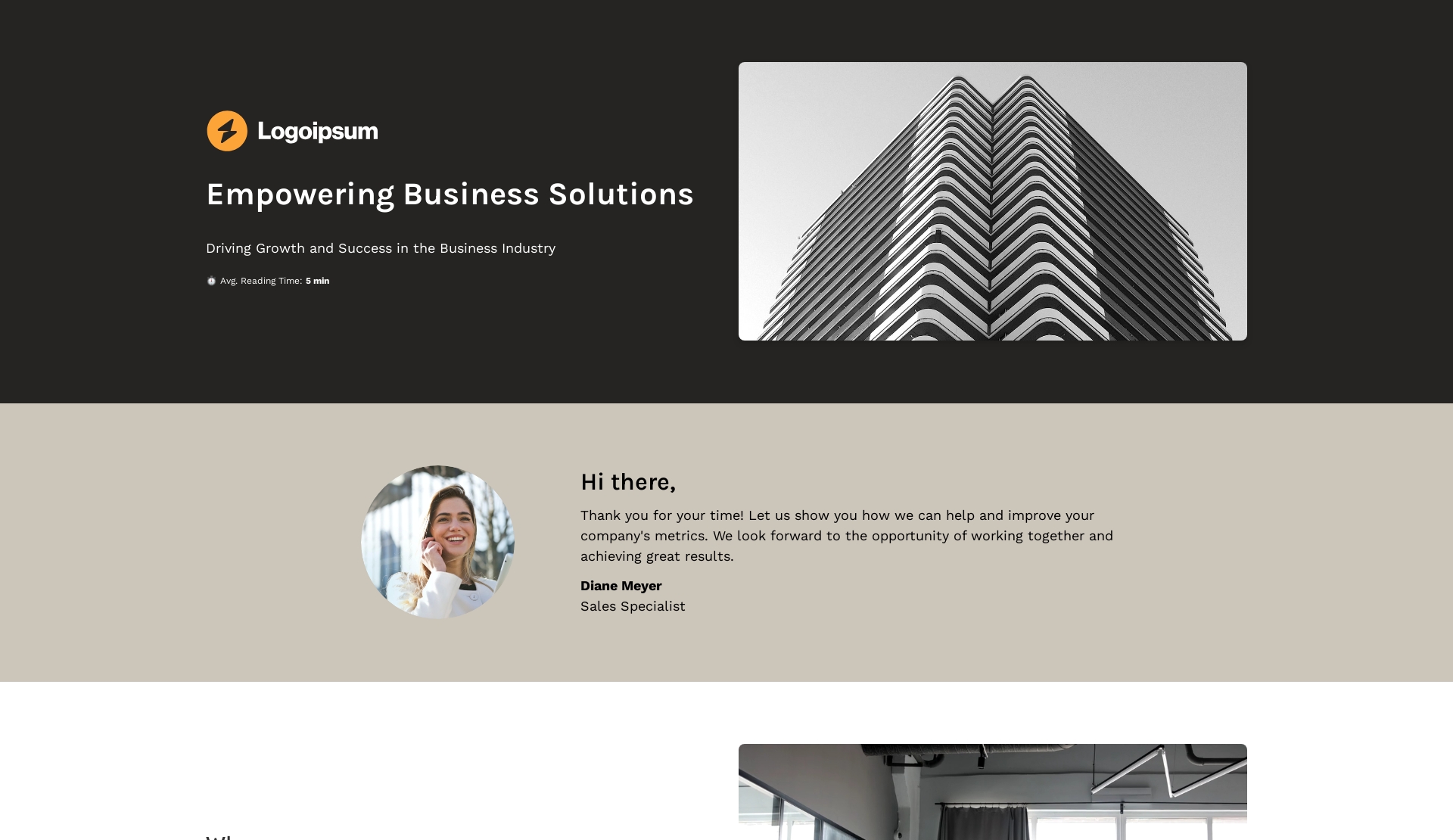
Business presentations are used for showcasing company performance updates, introducing new products or services, discussing future plans with clients and partners, or briefing investors.
Whether it’s an internal meeting or an external one with stakeholders, business presentations are all about delivering a clear and compelling message that drives the company forward.
Marketing presentations
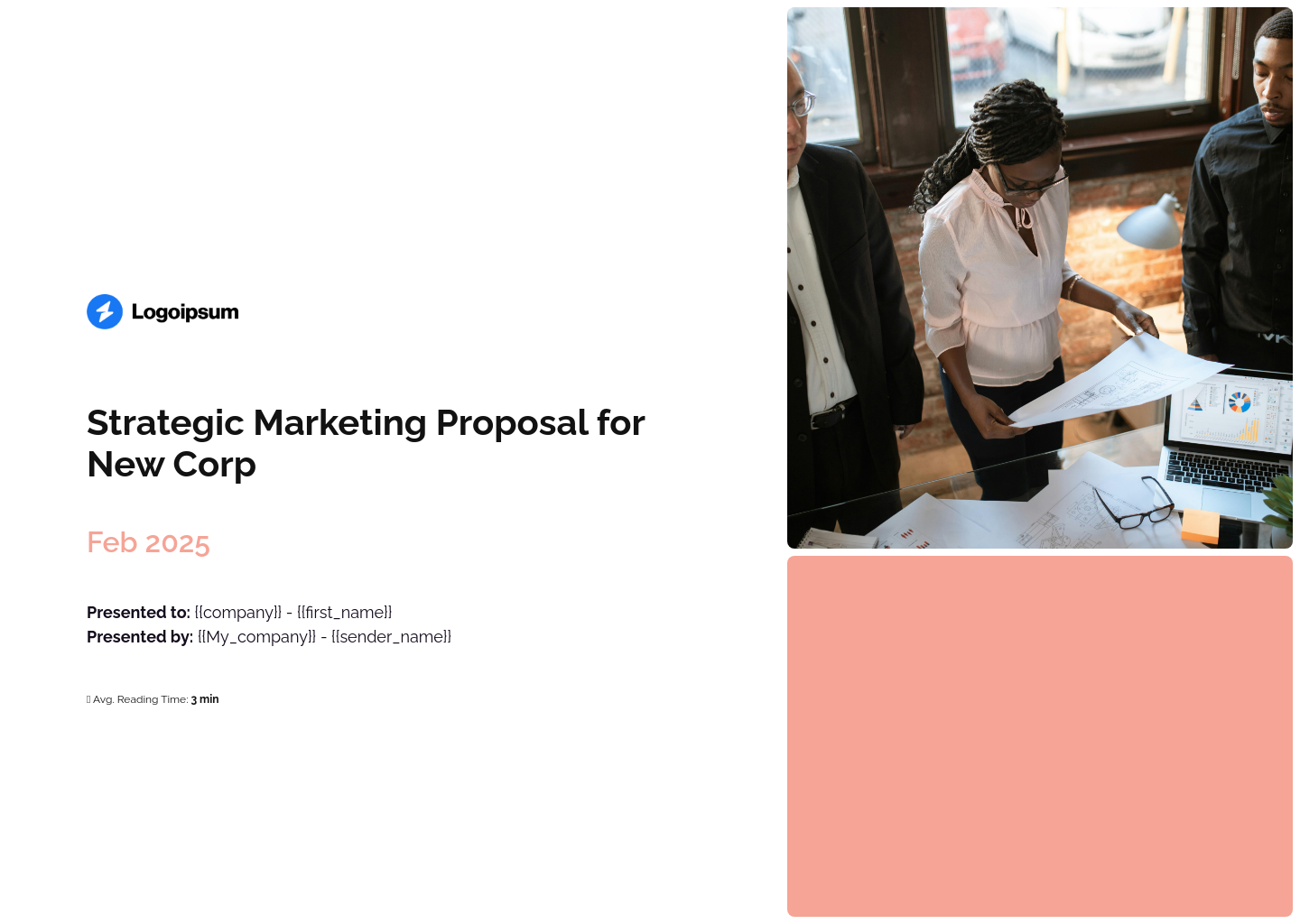
Marketing presentations are visual decks used to present your target audience, marketing strategies, and campaign outcomes to prospective clients, ad agencies, or stakeholders.
Sales presentations
Sales presentations are decks that contain details about the features, pricing, and main benefits of your offering, and are used during in-person meetings or online sales calls. They’re designed to help sales reps close deals or land new clients.
Education and training presentations
Education and training presentations are slide decks designed to teach new concepts and best practices to a variety of audiences, including students, employees, or clients.
Personal presentations
A personal presentation is used during networking events, business conferences, or public speaking engagements. It’s used to share your key accomplishments and demonstrate your passion and the main values you stand for.
What makes a good presentation?
A good presentation captivates by establishing trust, engaging the audience with interactive elements, and weaving data into an enthralling narrative that sparks emotions and inspires, leaving a lasting impact.
There are 3 things any good presentation must do:
1. Establish trust and credibility
Without your audience trusting you and your authority you will never get them to listen. And to really listen, some say, they have to like you.
To establish yourself as a credible source of information, use relevant visuals, stories, and examples that showcase your expertise and experience, earning the trust of your audience.
2. Interact with the audience
Static PowerPoint slides are no longer enough to engage anyone. Presentations need to be informative but also entertaining.
Therefore, incorporating interactive elements into your presentations like animations, videos, calculators, quizzes, polls, and live infographics is now essential to grab attention and keep your audience engaged start-to-finish.
Static PDF or PPT
Interactive Storydoc
3. Tell a good story
When it comes to digital presentations, it’s not just about the information you share, but how you share it. That’s where storytelling comes in! It’s all about weaving a relatable narrative that resonates with your viewers, leaving them eager for more.
By blending your data and facts into an enthralling tale, you’re not only dishing out knowledge but also sparking emotions and inspiration. It’s a game-changer for grabbing your audience’s attention and getting your message across effectively.
How to create a good digital presentation?
To create a great digital presentation, you need to think beyond the slides and consider the experience you want your audience to have.
Think of your presentation as a journey that takes your audience from point A to point B – you need to ensure that every step of the way is memorable and captivating.
When creating a digital presentation, there’s more to it than just putting together a few slides.
You can make it real-pretty, but to make it truly effective you need to have a clear understanding of where you want to take your audience, and tailor your content accordingly.
Good presentation example
This example shows how interactive content can make a presentation that pulls you in and makes you feel part of the journey.
What should a presentation include?
Most decks contain the following 3 elements:
- Introduction (the objectives and agenda of your presentation)
- Main body (key talking points that you want to cover)
- Conclusion (followed by a single, actionable call to action)
The specific outline of your presentation will depend on your particular use case.
Check out our dedicated guides for particular business presentations:
How to start and how to end a presentation?
Start your presentation with a strong hook that captures your audience’s attention and makes them interested in what you have to say.
You can end your presentation with a thank you slide, but that would be too bad. For your words to carry beyond the last slide you’ll need to give your audience the next step.
Generic 'Thank you' slide

Next steps/CTA slide
And so, you should end your presentation with a singular, clear call to action that inspires your audience to follow through on your message.
What are the essential building blocks of a successful presentation?
Almost everyone nowadays makes beautiful presentations. But that’s not enough to make them successful.
5 key elements that every successful presentation includes:
1. Compelling (human) story: Your presentation should tell a story that connects with your audience on a personal and emotional level, making your message relatable and memorable.
Here are 5 quick storytelling tips to deliver engaging presentations:

2. Clear structure: A clear structure helps your audience follow along and understand the flow of your presentation. This can be chronological, sequential, before-after, problem-solution-resolution, or any other simple and easy-to-follow structure.
3. Problem and solution: Your presentation should address a problem that your audience faces and offer a solution that your product or service can provide.
4. Actionable takeaways: Your presentation should leave your audience with actionable steps or insights that they can use to apply the information you’ve presented.
5. Supporting visuals (product demo) and data visualization (graphs, charts, and infographics): Using visuals to support your presentation can reinforce your message and help your audience retain the information you presented.
6 biggest mistakes to avoid when creating a presentation
It’s easy to forget that the presentation is for your audience rather than for you. You may want to tell them everything from A to Z, but they may only want to know ABC.
It’s even easier to take for granted that the things you understand are clear to others. But for them, these things are horribly complex (look up the curse of knowledge).
1. Using too much text: Overloading your slides with text can cause your audience to lose interest and detract from your main points. Keep your text to a minimum and use visuals to reinforce your key takeaways.
2. Going too much into detail: Attention is a limited resource so you can’t fit everything in a single presentation. Tell your audience only what they really want (and need) to know. Avoid any technical details or complex jargon that does not contribute to the core of your message.
3. Neglecting interactivity: Failing to include interactive elements can cause your audience to disengage. Use polls, quizzes, and other interactive tools, including email newsletter software, to keep your audience engaged.
4. Ignoring the power of storytelling: Telling a compelling story is critical to capturing your audience’s attention and leaving a lasting impression. Use relatable stories and examples that support your key points.
5. Poor use of visuals: Using low-quality visuals, irrelevant images, or poorly designed charts and graphs can detract from your presentation and cause confusion. Use high-quality visuals that reinforce your key ideas and are easy to understand.
6. Lack of personalization: If you don’t tailor your presentation to your audience’s needs, interests, and level of understanding, your message will fall flat. Make sure to consider your audience’s perspective and adjust your deck accordingly.
You don’t want your presentation to end up looking like this:

How to design a presentation?
Designing a presentation is a bit like decorating a cake – you want it to be visually appealing but also yummy to consume. You want it to leave your audience with a taste for more rather than a bad taste in their mouth.
Lucky for you there are practical steps for designing a presentation that truly wows your audience every time. There’s also a more practical presentation maker for this than PowerPoint. You can use it to get much more engaging presntations.
Practical presentation design tips:
1. Choose a color scheme: Just like choosing the perfect icing color for your cake, selecting a color scheme that complements your brand can make your presentation feel more coherent. Or, if you’re pitching to a client, you can use their brand colors instead in order to impress them.
2. Use high-quality images: Using high-quality images is like adding a layer of delicious, rich frosting to your cake. You can also use an image generation tool like VistaCreate to design or enhance visuals that perfectly match your content’s style and tone. It makes your presentation more visually interesting and helps support your key message.
3. Use consistent fonts: Using consistent fonts throughout your presentation can make it easier to read. Stick to two or three fonts that complement each other and use them consistently.
4. Incorporate visual aids: Visual aids like colorful sprinkles and creative cake toppers can take your cake to the next level. Similarly, graphs, charts, and infographics can help break text patterns and, therefore, make your presentation more memorable.
Check out our use-ready slide design with every type of slide you can think of designed according to our tips and best practices.
Where to find presentation templates?
Scouring the web for presentation templates can be a bit like looking for a needle in a haystack – it’s time-consuming, frustrating, and can leave you feeling a bit lost. Most designs available look dull and samey, and are not optimized for engagement.
But don’t worry, we’ve got you covered! Here are the best interactive presentation templates for different use cases:
Presentation category
Slide type
What tools to use to create presentations?
Unfortunately, there’s no one-size-fits-all tool for creating a digital presentation. And with so many presentation tools out there, it can be hard to know where to start looking.
That’s why we’ve done the research for you – check out our article rounding up the best presentation software to pick the right one for your needs!
And, if you want to learn more about creating effective digital presentations, check out these posts:
How to give a presentation?
Giving a presentation can be intimidating, but it’s an excellent opportunity to showcase your knowledge and expertise. To deliver a successful presentation, you need to focus on engaging your audience, keeping their attention, and providing valuable information.
9 tips to help you give a memorable presentation:
1. Start with a strong hook
A strong opening is crucial to grab your audience’s attention and pique their interest. Begin with a bold statement, a surprising fact, or a personal anecdote that relates to the topic of your presentation. This will immediately grab the audience’s attention and make them want to listen to what you have to say.
2. Make your objectives and agenda clear
Engage your audience right from the start by letting them know what’s in store for them. Outlining your objectives and agenda early on will keep your audience focused and ensure that they don’t miss out on any crucial information. Let them know why it’s important to pay attention to your presentation and what they can expect to learn from it. By doing this, you’ll build anticipation and get them excited about what’s to come!
3. Leverage storytelling
People love stories, and they are an effective way to connect with your audience. Use anecdotes, metaphors, and examples to illustrate your points and make your presentation more relatable. This will help the audience understand the concepts you’re presenting and retain the information up to 60-70% better.
4. Ask questions, use humor, give simple directions that prove a point
Engage your audience by asking questions, using humor, and giving them simple tasks to perform that illustrate your point. This will keep their attention and make the presentation more interactive.
5. Direct the audience’s attention
Use a pointer or built-in animation to draw the audience’s attention to critical information. This will help them focus on what you’re saying and avoid distractions.
6. Work on the delivery
Speak slowly and clearly, use positive language, and avoid reading from notes as much as possible. Use humor and engage with your audience to make the presentation more enjoyable. Ensure your body language is confident and relaxed, and maintain eye contact with your audience.
7. Add interactive elements
Incorporate interactive elements like polls, quizzes, or surveys to involve your audience and gather valuable feedback. This will make your presentation more engaging and ensure your audience retains the information presented.
8. Close with a CTA
End your presentation with a strong call to action (CTA). Inspire your audience to take the next step, whether it’s signing up for a newsletter, buying a product, or visiting your website. Make it clear what you want your audience to do after the presentation.
9. Leave time for a Q&A session
Finally, leave ample time for a Q&A session. This will allow your audience to clarify any doubts and ask questions. It’s also an excellent opportunity for you to engage with your audience and get valuable feedback on your presentation.
Create amazing digital presentations from templates
Creating a digital presentation that grabs your audience’s attention and drives results may feel like a daunting task.
After all, a strong digital presentation can be the difference between leaving a lasting impression on your audience or falling flat and losing their attention.
It’s like trying to teach a class without proper preparation – you’re not giving your knowledge and expertise a chance to shine, and your audience might not retain the information you’re presenting.
To make things easier, try using our customizable digital presentation templates that will help you create an engaging and impactful digital presentation in no time!
FAQs
If you’re looking for real-life examples that drove results for other companies from different industry sectors, check out highly effective presentation examples by our clients.
Alternatively, if you want to see the best presentation examples that you can replicate to create your own, here are our dedicated guides:
- 10 Perfect Presentation Examples That Win Over Anyone
- 9 Unique Sales Deck Examples that Outsell the Rest
- 10 Top Pitch Deck Examples to Inspire Your Fundraising Efforts
- Top Product Presentation Examples That Wow Everyone
- Marketing Deck: What It Is & How to Make It Win (Examples)
- 6 Elevator Pitch Examples for Any Scenario (Ready for Use)
If you’re looking for snazzy presentation templates, Storydoc should be your go-to place. We offer a fantastic selection of visually stunning designs to make your digital presentation pop.
All components have been designed with best practices in mind and optimized for engagement. Thanks to the built-in analytics panel, you can also check how your presentations perform in real-time.
Click on any of these categories to see the best presentation templates for your specific use case:
The most common types of business presentations are:
Technically, a slideshow is a type of presentation, but not all presentations are slideshows.
A presentation can take many different forms, from a speech to a product demonstration, and can use various tools, including slideshows, to deliver the message. So while a slideshow is certainly a popular choice for presentations, it’s not the only option out there.
Death by PowerPoint is the phenomenon of boring, uninspired, and ineffective presentations that use an overabundance of bullet points, text-heavy slides, and monotonous delivery. It’s a surefire way to put your audience to sleep and leave them counting down the minutes until your presentation is over.
To avoid death by PowerPoint, aim to create presentations that are visually engaging, incorporate storytelling, and use multimedia elements like images, videos, and interactive features. Remember, a presentation should be a tool to enhance your message, not a crutch to lean on.
There are 5 popular types of presentation delivery formats to choose from:
- Powerpoint: A classic choice, PowerPoint offers a range of design and animation options to create static slide-based presentations.
- Google Slides: As a cloud-based tool, Google Slides makes it easy to collaborate with others in real-time. It’s an excellent option for static team presentations and remote work situations.
- Keynote: Exclusive to Apple devices, Keynote is known for its sleek and elegant design options. It’s an ideal choice for visually appealing presentations on Mac or iOS devices.
- PDF: For a simple, static, and easily shareable format, PDF presentations are a reliable option. They ensure consistent formatting across different devices and platforms.
- Storydoc: Taking presentations to the next level, Storydoc provides immersive and interactive templates that are sure to captivate your audience and leave a lasting impression.
There are 4 common types of presentation delivery formats:
- Memorized: In a memorized delivery, the presenter memorizes the entire presentation word-for-word and delivers it without notes. This format can be effective for short presentations or speeches but can be challenging to execute for longer presentations.
- Manuscript: In a manuscript delivery, the presenter reads from a written script or teleprompter. This format is great for delivering complex or technical information but can come across as less engaging.
- Impromptu: In an impromptu delivery, the presenter delivers a presentation without prior preparation or planning. This format is often used in situations like interviews or meetings and requires quick thinking and adaptability.
- Extemporaneous: In an extemporaneous delivery, the presenter delivers a presentation using notes or an outline, but not a fully scripted presentation. This format allows for flexibility and engagement with the audience while still maintaining structure.
Here are the main reasons why presentations are essential for your business:
- Be the expert: Presentations provide a platform to showcase your expertise and share your unique perspectives with your audience, establishing you as a thought leader in your industry.
- Build connections: Presentations provide an opportunity to connect with your audience, building relationships that can lead to future business opportunities.
- Leave a lasting impression: An engaging and memorable presentation can leave a lasting impact on your audience, increasing brand awareness and improving message retention.
- Achieve your goals: Presentations can be used to achieve business goals, from generating leads to securing funding or closing deals.
Measuring the effectiveness of a presentation is crucial to ensure it hits the mark with your audience and achieves its goals. Here are some ways to measure the effectiveness of a presentation:
Ask for feedback: Don’t be afraid to ask your audience for feedback after the presentation, either through surveys or live feedback. This feedback can provide valuable insights into what worked well and what could be improved, helping you refine your approach for future presentations.
Monitor engagement: Keep a pulse on engagement metrics such as views, shares, or the average reading time if the presentation is delivered online. These metrics can give you a sense of the level of interest generated by the presentation and which parts resonated with your audience. Our own presentation maker comes with built-in analytics tracking and reporting.
Track business outcomes: If your presentation is designed to drive business results, track metrics such as lead generation, sales, or conversion rates to assess its effectiveness in achieving these goals.

